A Real Email From Google Can Still Be a Scam
I worked a case recently that has stuck with me, because the victim did almost everything right and still lost control of her account. She got an email that looked like a Google security notice. Before she trusted it, she checked the sender. It said noreply@google.com. Not a lookalike, not a misspelling. The message carried Google's real security signatures and passed every check her email provider runs.
It passed because it actually came from Google.
That sentence is the whole problem, and it is why this particular scam is so effective. The criminal never spoofed anyone. He did something more clever. He used Google's own automated systems to send real, signed emails on his behalf, and he got to write what they said.
Here is how it works. Google, like most large companies, runs automated no-reply systems. Email a no-reply address and a machine writes back. Open a support case and the system emails you updates. Those messages are generated by Google and signed by Google. What the scammer figured out is that he could feed his own text into those systems and have it echoed back to the victim in the subject line of a genuine Google email.
So the victim received a real message from Google with a subject line that read like a case was open and being handled by a support agent named Sebastian Black. A little later, another real Google email arrived, its subject line announcing a temporary password for her account. The body of each was just Google's harmless boilerplate. The scam was in the subject, and the scammer wrote it.
Now put yourself in her position. Everything you were ever taught about spotting a fake email tells you to check who it is from. She checked. It was from Google. The links in the body went to real Google pages. Her spam filter waved it through, because there was nothing to catch. The security stamps that are supposed to protect you were all valid, because the email was authentic. The advice most people carry around in their heads had quietly stopped working.
What made it worse, and what actually closed the trap, was the phone. Before those emails arrived, a man had called her claiming to be Google support, walking her through a "problem" with her account. Then the emails showed up saying the same things he had said on the phone. When a call and an email line up, your brain files it as proof. Two independent sources agreeing feels like confirmation. In reality it was one person running both sides, and he had arranged for the second source to be Google itself.
There is a lesson buried in this that goes past one clever trick. Email authentication answers a narrow question. It tells you the message really came from the domain it claims, and was not altered along the way. It does not tell you the message is true. A real, signed, authenticated email from a real company can still carry a lie, if a criminal found a way to put words in that company's mouth. We have spent years teaching people to verify the sender. This scam is a reminder that verifying the sender and verifying the message are two different things.
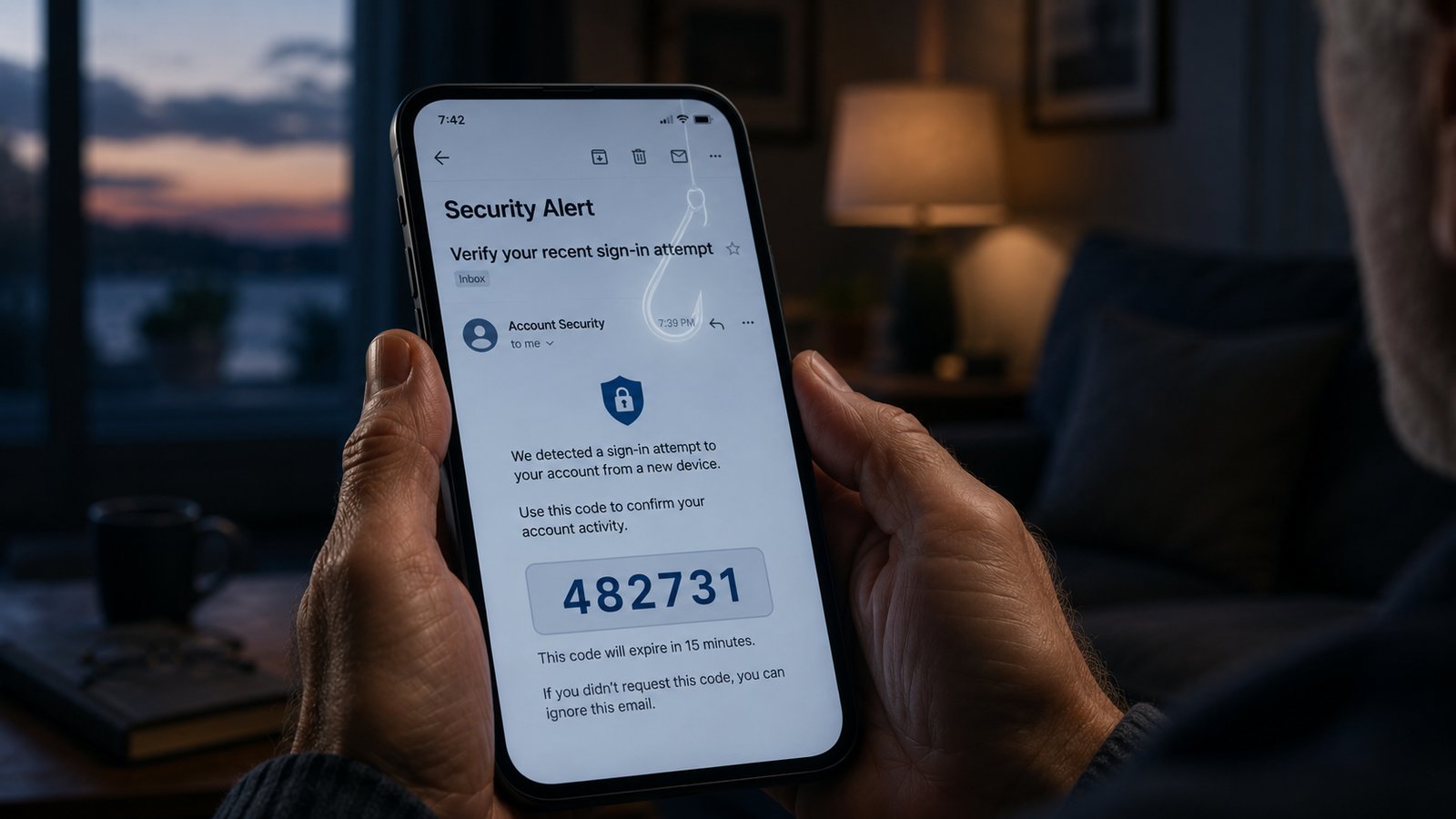
There was one more email in the sequence, and it was the actual weapon. It was a genuine Google verification code, the six-digit kind you get when someone is trying to access your account. The scammer, on the phone, had started an account-recovery process that made Google send it. His whole script existed to get her to read that code out loud. The email even warned her, in plain type, not to share it with anyone. The pressure on the call was built to carry her past that warning.
If you take nothing else from this, take these.
A code that gets sent to you is meant to be typed by you, on the real site, and nowhere else. Anyone who calls or messages you asking you to read it back or share it is running a scam, every time. Google will not ask. Your bank will not ask. No one legitimate ever will.
A password does not belong in a subject line. No real company emails you a working password in the subject of a message. If you see one, especially a "temporary password from your representative," you are looking at a script, not a service.
And be suspicious of agreement across channels. If a phone call and an email are reinforcing each other and both are pushing you to act now, treat that as a warning sign rather than proof. The most convincing scams are built to have two voices say the same thing.
When something feels off, stop using whatever number or link they gave you and reach the company yourself, through the number on your card or their official app. It costs you a few minutes. It costs the scammer everything, because his whole operation depends on you staying inside the channel he controls.
We built a check into Scam Sentinel for exactly this pattern, the authenticated email whose real payload is hidden in the subject line and the thread. But the tool is the smaller point. The larger one is that "it passed every security check" and "it is safe" are not the same sentence, and the people who understand that are a lot harder to fool.